


Choose iPad Air Accessories for Typing, Notes and Everyday Use
👉 See current iPad accessory Black Friday offers
Not every iPad Air needs every accessory. This guide helps you work out which ones fit how you use yours, which you can skip, and what to check before you order.
Where to start
| How you use your iPad Air | Look at |
|---|---|
| Typing papers, emails or long notes | Keyboard case |
| Carrying it around, wanting a stand and protection | Cases |
| Handwriting or drawing | Paper-Feel screen protector and Pencil |
| Missing two or more of the above | Bundles |
What Do You Already Have, and What Is Still Missing?
Before you buy anything, check your current setup:
- Case: Does it still fit well and give you the stand angles you use? If so, keep it.
- Keyboard: If you already have one you like, you don’t need another.
- Screen protector: A scratched or peeling one is worth replacing. A clean one isn’t.
- Pencil: If you already use one you’re happy with, skip this.
Whatever is left on the list is what to look at below. Cases and screen protectors are made for a specific model, and some older accessories may carry over to a newer iPad Air. Check whether your existing case fits before you assume either way.
Choose by How You Use It
Keyboard Case

The Rebound Magnetic Keyboard Case 360 combines a keyboard and protection in one case. The matte-textured PU leather cover and 360° kickstand let you adjust your iPad Air to multiple angles, and the iPadOS-compatible trackpad supports multitasking gestures. It comes in versions for the iPad Air 11-inch and 13-inch.
| Stability | Quick-set magnetic stand |
|---|---|
| Stylus storage | Secure magnetic clasp protects the Pencil |
| Battery life | Standby up to 1 year |
| Trackpad | Multi-finger gesture control |
For a different layout, the Shift Keyboard Case (Detachable) has a split design and works in landscape and portrait. The Flex Keyboard Case (Detachable) is lighter. Each supports specific iPad models, so check the product page.
Skip it if you mostly read, watch or handwrite, or already have a keyboard you like.Check: your iPad Air’s size and generation, and the keyboard layout (for example, US layout).


Cases: Shift, Flip and AirStance

The Shift Magnetic Case is a Red Dot Design Award–winning case (add link to the Red Dot page). Its magnetic stand locks into grooves on the back for stability, and it detaches for hands-free use or for mounting on a metal surface. It comes in versions for the iPad Air 11-inch and 13-inch.
| Elevated screen | 3.3" raised screen view |
|---|---|
| Stand angles | 9 different angles |
| Protection | 360° rugged protection |
| Pencil storage | Back-side pouch for a stylus |
The Flip Magnetic Case is a folio-style cover that opens and closes easily and holds the iPad steady at several viewing angles. It has a Pencil holder.
The AirStance Magnetic Case is new to the lineup, made for the iPad Air 11-inch (M4, M3 and M2). It's a slim, one-piece folio whose 2.2 mm front cover folds into three landscape angles (25°, 45° and 60°) and a portrait position, and a flap on the back holds an Apple Pencil in place. Apple Pencil Pro attaches and charges with the case on.
Who should skip which:
If your keyboard case already protects the iPad, or you only want a simple cover, you probably don’t need any of these.
The Shift is worth it if you’ll actually use the angles or the detachable stand.
Skip the AirStance if you want a case that wraps the edges and corners, or a cover you can take off.
Check: choose the version for your iPad Air's size and generation. The AirStance is made for the iPad Air 11-inch (M4, M3 and M2), so 13-inch owners should look at the Shift or Flip.


Paper-Feel Screen Protector

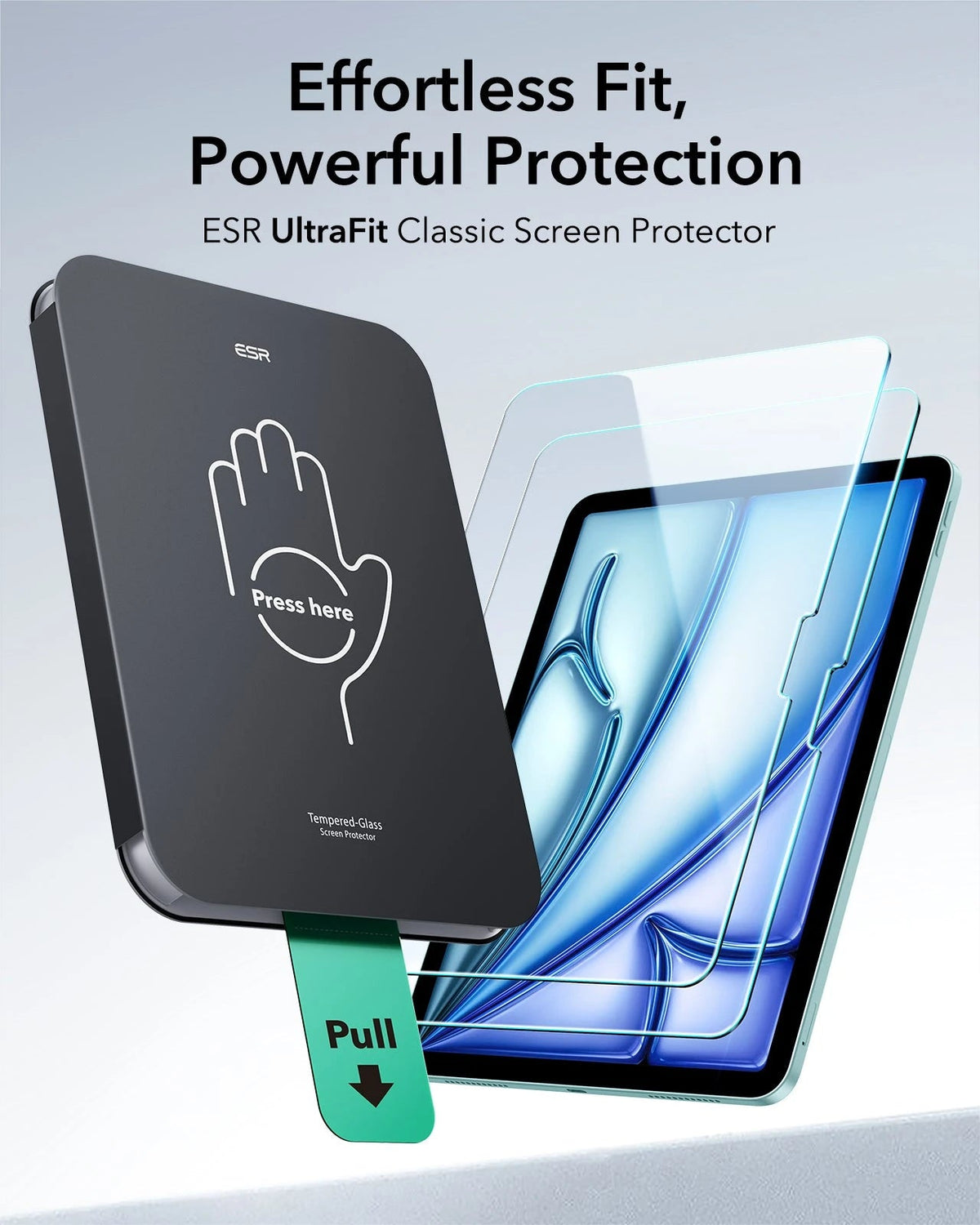
The UltraFit Armorite Paper-Feel Screen Protector is tempered glass with a paper-like texture for precise writing and drawing, and it keeps the touch response smooth. It offers 9H hardness protection against scratches and everyday wear, and comes in versions for the iPad Air 11-inch and 13-inch. The two-pack includes an installation tray.
| Nib life | Prevents nib abrasion even after 10,000x of use |
|---|---|
| Fingerprint resistance | Oleophobic coating prevents smudges |
| Impact resistance | 9H tempered glass |
| Finish | Anti-glare, for indoor or outdoor viewing |
Skip it if you mostly read or watch video. A textured surface suits handwriting, but isn’t a default upgrade for everyone.Check: select your exact iPad Air in the product selector.
Compare iPad screen protectors →


Pencil
ESR makes two Pencils for iPad. Each has its own page and compatibility table.

Geo Digital Pencil. Find My is built in. If you can’t see the Pencil, you can make it play a sound from the Find My app when it’s nearby. It charges over USB-C and doesn’t support wireless charging.
| Find My | Built in |
|---|---|
| Charging time | Full charge in 30 minutes |
| In-use time | 12 hours |

Digital Pencil. It has ultra-low latency, tilt sensitivity and full palm rejection. It connects instantly without Bluetooth pairing, charges over USB-C, and comes with replaceable nibs.
| Charging time | Full charge in 30 minutes |
|---|---|
| In-use time | 13 hours* |
| Tip | Replaceable silicone nib, 1.5 mm POM tip |
| Attachment | Magnetic attachment on supported iPad models |
*Based on a Pencil that starts fully charged and is used continuously to draw.
Skip it if you already use a Pencil you like, or you don’t handwrite or draw.Check: both Pencils work with the iPad Air 11-inch and 13-inch and the iPad Air 4th and 5th generations, and attach to them magnetically. They work with the iPad Air 3rd generation but don’t attach magnetically. Other iPad models differ between the two, so check the table on the page of the Pencil you choose: Geo Digital Pencil or Digital Pencil.
Bundles
A bundle makes sense when you’re missing two of the items above and the bundle includes both. Check what’s in the box before you choose.

Rebound Magnetic Keyboard Case + Geo Digital Pencil. For an iPad Air 11-inch or 13-inch that you use for both typing and handwriting. The Rebound has a quick-set magnetic stand and a detachable back case, so you can switch between raised, portrait and hands-on modes. The Geo Digital Pencil gives tilt-based line variation for natural writing and shading, and Find My to locate it.

Flip Magnetic Case + Geo Digital Pencil. For note-taking and drawing without a keyboard. The Flip Magnetic Case opens and closes easily and keeps the iPad stable at different viewing angles. The Geo Digital Pencil gives precise input and a fast response. It comes in versions for the iPad Air 11-inch and 13-inch.
Skip a bundle if you already own one of the pieces. You’d be paying for something you already have.Check: your iPad Air’s size and generation, and what the listing says is included.
More combinations are available for iPad, including a case with a screen protector, or a keyboard case with a screen protector, Pencil or mouse.
 Keyboard Case 360 + Protection Paper-Feel Bundle
 Kids Ultimate Protection Bundle
Before You Order
- Size and generation. Check whether you have the 11-inch or 13-inch iPad Air and which generation it is. Settings > General > About shows the model name.
- Keyboard layout. Keyboard cases list their layout, such as US layout, in the product title.
- Pencil compatibility. Check the table on the page of the Pencil you choose.

Frequently Asked Questions
Will my old iPad Air case fit a newer iPad Air?
Not always. Cases and screen protectors are made for specific models. Check the product page’s compatibility list, or read ESR’s guide on whether your existing case fits.
Will my old iPad Air case fit a newer iPad Air?
The AirStance for the iPad Air 11-inch is listed for the M4, M3 and M2 models.
Which iPad Air models do the Pencils attach to magnetically?
Both the Geo Digital Pencil and the Digital Pencil attach to the iPad Air 11-inch and 13-inch and to the iPad Air 4th and 5th generations. They work with the iPad Air 3rd generation but don’t attach magnetically.
Which Pencil should I choose?
If losing it is the worry, the Geo Digital Pencil has Find My built in. Both list a 30-minute full charge. The Geo lists 12 hours of use, and the Digital Pencil lists 13 hours of continuous drawing. Check each page’s compatibility table for your iPad.
What’s in an iPad bundle?
It varies by listing. The product page names each piece, including which Pencil is included. Check it against what you already own.


